UPI AutoPay for SaaS: Setup, Limits, and What Global Founders Need to Know
Learn how UPI AutoPay works for SaaS, its limits, setup process, and what global founders need to know to receive payments from India.
Listen to article
Audio version (0% complete)

UPI now accounts for roughly 80%+ of India’s retail digital payment transactions by volume, making it the default way Indian consumers expect to pay online. For many younger customers, a checkout without UPI looks “broken,” especially for recurring OTT, SaaS, and utility payments.
UPI AutoPay is now the most local-friendly way for global SaaS, PSPs, and fintech platforms to run subscriptions in India, but you need to understand how mandates, limits, and cross-border rules work before you scale real revenue on it.
For global SaaS founders and PSPs this translates into three opportunities:
- Capture more self‑serve subscriptions by offering UPI AutoPay for SaaS instead of relying only on international cards.
- Reduce churn caused by RBI e‑mandate friction on cards above the Additional Factor of Authentication (AFA) threshold.
- Use PA‑CB‑enabled partners like EximPe to accept UPI payments from India without setting up a local entity, while settling offshore in USD/EUR.
For a broader context on India subscription flows, see EximPe’s guide on
How Global SaaS Companies Can Accept Subscription Payments from Indian Customers
What is UPI AutoPay and how it works
UPI AutoPay is NPCI’s e‑mandate feature on UPI that lets customers give a standing instruction for recurring debits directly from their bank account via any UPI app. Once the mandate is approved with UPI PIN, subsequent charges within UPI AutoPay limits can run automatically without repeated authentication.
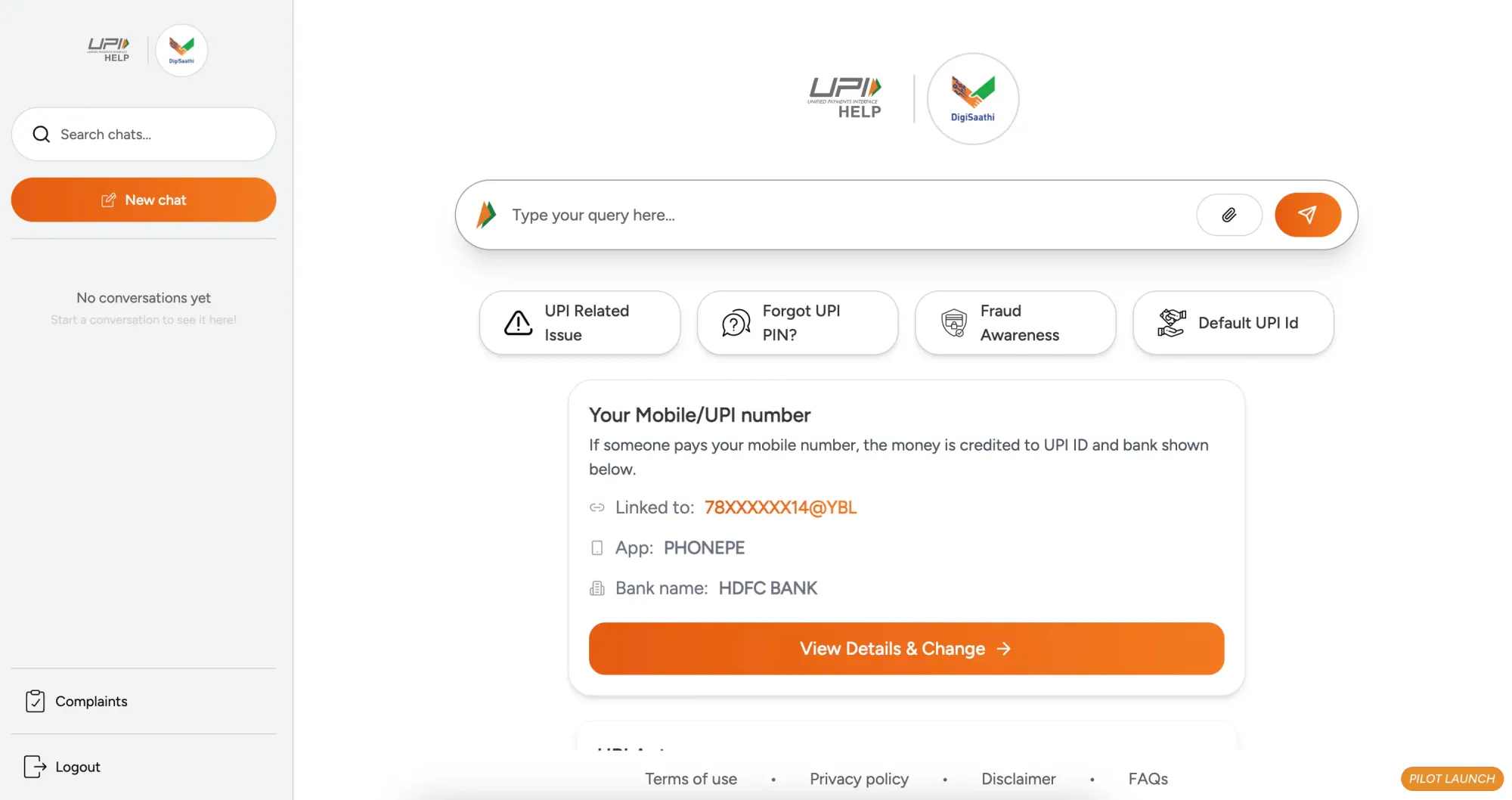
Customers can later view, pause, or cancel mandates from the “AutoPay” or “Mandates” section in their UPI app. NPCI now also exposes a central portal (upihelp.npci.org.in) where users can see and manage all UPI AutoPay subscriptions across apps.
UPI AutoPay vs card‑based subscriptions
Both UPI AutoPay and tokenised card e‑mandates sit under RBI’s e‑mandate framework, but they behave very differently in India.
User experience & visibility
UPI AutoPay mandates are created and managed inside familiar UPI apps, with clear lists of active subscriptions, pause/cancel controls, and NPCI’s central mandate portal. Card e‑mandates are often buried in bank portals or email notifications, which many Indian customers simply ignore.
Trust, disputes, and success rates
Indian users generally trust UPI more than cards because it feels “bank‑to‑bank,” has no card number exposure, and offers fine‑grained control over mandates. Card mandates can deliver higher raw success rates (often around 70%+ for credit cards), but UPI AutoPay has scaled to a majority of recurring payment volume despite lower approval ratios, thanks to its reach and low cost.
Aspect | UPI AutoPay | Tokenised card e‑mandates |
Where customer approves | UPI app (GPay, PhonePe, bank app) | Merchant checkout + card issuer auth (OTP/PIN) |
Where mandate is visible | “AutoPay/Mandates” section + NPCI central portal | Card statement, issuer portal, email alerts |
AFA behaviour | First mandate with UPI PIN, subsequent debits AFA‑free up to UPI AutoPay limits | First transaction with AFA, subsequent debits AFA‑free up to RBI e‑mandate limit |
Customer trust perception | Very high for Indian users, same as normal UPI | Good for premium card users, weaker penetration overall |
Disputes & chargebacks | NPCI UPI Help + bank dispute flows | Card chargeback rules via issuer and card scheme |
Typical fit | Mass‑market INR SaaS, OTT, utilities, SME tools | High‑ticket or B2B plans, enterprise or USD‑denominated billing |

Limits, Categories, and SaaS pricing impact
Current UPI AutoPay limits
RBI’s e‑mandate framework waives AFA for recurring debits up to ₹15,000 per transaction across cards, PPIs, and UPI. NPCI applies the same standard limit to most UPI AutoPay mandates.
For specific categories like mutual fund SIPs, insurance premiums, and credit card bill payments, RBI and NPCI have raised the AFA‑free limit to ₹1,00,000 per transaction. These higher UPI AutoPay limits are mapped to particular merchant category codes (MCCs), not generic SaaS.
Domestic vs cross‑border UPI AutoPay
Domestic subscriptions
A domestic UPI AutoPay subscription is India‑to‑India: Indian customer, Indian merchant, domestic payment aggregator, INR settlement into an Indian account. RBI’s domestic PA guidelines apply, but FEMA (foreign exchange) rules are not triggered because funds do not cross borders.
Cross‑border subscriptions
For a foreign SaaS or platform, a UPI AutoPay collection is an import of services into India and must comply with FEMA and purpose code tagging. RBI’s Payment Aggregator – Cross Border (PA‑CB) framework brings all Indian entities that aggregate these cross‑border payments under direct regulation, with transaction caps (typically up to ₹25,00,000 per unit) and detailed reporting.
Key points for cross‑border UPI subscriptions:
- Debits still occur in INR from Indian bank accounts via UPI.
- A licensed PA‑CB or bank‑led arrangement must sit in the middle to mark the transaction as “import of services,” tag purpose codes, and remit to your offshore account.
EximPe is one of the RBI‑authorised PA‑CB providers that can route UPI subscriptions from Indian customers to foreign SaaS companies while handling FX and FEMA paperwork. For a directory of licensees, see EximPe’s article on “The Complete List of RBI PA‑CB Licensees in India (2026)”.
Practical setup guide for UPI AutoPay
Step 1 – Shortlist a PA‑CB‑enabled partner
- Prioritise providers that are RBI‑authorised PA‑CB licensees and explicitly support UPI AutoPay for international merchants.
- Validate coverage: UPI, UPI AutoPay, netbanking, local cards, and FX settlement options (USD/EUR/GBP).
Step 2 – Integrate APIs or hosted gateway
- Decide between API‑first integration (for product‑led SaaS) or hosted checkout/gateway for faster go‑live.
- Implement server‑side APIs for: mandate creation, mandate status, charge initiation, and refunds.
Step 3 – Configure subscription plans within UPI AutoPay limits
- Keep per‑cycle charges ≤₹15,000 for standard SaaS categories to avoid extra AFA.
- Structure plan metadata by country/region and currency so Indian users see INR‑denominated tiers mapped to UPI AutoPay limits.
Step 4 – Set up webhooks for mandate events and renewals
Typical events to subscribe to via webhooks:
- Mandate created / approved / declined.
- Mandate paused / cancelled (from UPI app or NPCI portal).
- Debit success / failure, including reason codes.
Use these to drive in‑app messages, dunning emails, and seat revocations.
Step 5 – Handle failed debits and retries within NPCI rules
NPCI’s latest guidelines allow one execution attempt plus up to three retries per mandate debit, typically orchestrated during non‑peak hours. Implement:
- Smart retry logic (e.g., retry next morning, then around typical salary credit dates).
- Friendly reminders asking users to top up before the next attempt.
Step 6 – Give customers clear mandate visibility and cancellation
- Link to “Manage subscription” in your product that explains how to pause/cancel in their UPI app and via NPCI’s portal (upihelp.npci.org.in).
- Mirror mandate status in your UI so users understand if a plan is inactive, paused, or cancelled.
If you operate on Shopify or similar, EximPe’s Shopify India UPI Payment Integration Guide for Global Stores (Without a Local Entity) shows a practical version of this stack for ecommerce and digital merchants.

Compliance checklist for global companies
Use this as a high‑level checklist when implementing UPI AutoPay for SaaS as a foreign entity.
- RBI e‑mandate & AFA rules
- First transaction must be AFA‑compliant (OTP/UPI PIN), subsequent debits up to ₹15,000 are AFA‑free for cards, PPIs, and UPI.
- Certain categories (MF, insurance, credit card bills) have enhanced AFA‑free limits up to ₹1,00,000 per transaction.
- NPCI UPI AutoPay guidelines
- Standard UPI AutoPay limits: ₹15,000 for most merchants, up to ₹1,00,000 for specified MCCs.
- Mandate execution and retries: 1 execution + up to 3 retries per debit, executions are rate‑limited to protect the network.
- Mandate management: users must be able to pause/cancel via UPI apps and NPCI’s central portal.
- FEMA and purpose codes (import of services)
- Cross‑border subscriptions are treated as Indian residents paying for imported services.
- Each payment must be tagged with an appropriate purpose code and reported via authorised channels.
- PA‑CB framework
- Only RBI‑regulated PA‑CB entities (or banks) may aggregate cross‑border UPI and other payments for imports/exports.
- Working with a licensed PA‑CB provider like EximPe de‑risks cross‑border UPI subscriptions by embedding FEMA, KYC, AML, and reporting into the payment stack.
For a deeper dive into licensing options, see EximPe’s article on PA‑CB License: The Complete Guide for Global Payment Companies & PSPs
Frequently Asked Questions
Yes. By working with an RBI‑authorised PA‑CB provider like EximPe, you can collect in INR via UPI and other local methods and receive settlement in USD/EUR into your offshore bank account, without forming an Indian entity.
For typical SaaS categories, treat ₹15,000 per debit as the AFA‑free UPI AutoPay limit. If you try to charge more, the customer will be prompted for additional authentication or the debit may fail, for high‑ticket plans, use invoices, bank transfers, or different payment rails instead.
NPCI’s latest execution guidelines allow one main execution attempt plus up to three retries for each AutoPay debit, usually during non‑peak windows. Your gateway or PA‑CB partner should expose status and retry events via webhooks so you can control user messaging and access.
EximPe acts as a PA‑CB‑licensed payment aggregator‑cross border in India, sitting between NPCI/UPI and your foreign bank account. It receives INR funds from UPI AutoPay debits, tags transactions with the right FEMA purpose codes, converts to your settlement currency, and pays out to your offshore account while handling RBI reporting.
Absolutely. The most resilient India stack offers UPI AutoPay for mass‑market INR tiers plus tokenised cards for USD billing or high‑ticket plans, often via the same global PSP or PA‑CB partner. This combination lets you maximise conversion while staying within UPI AutoPay limits.